
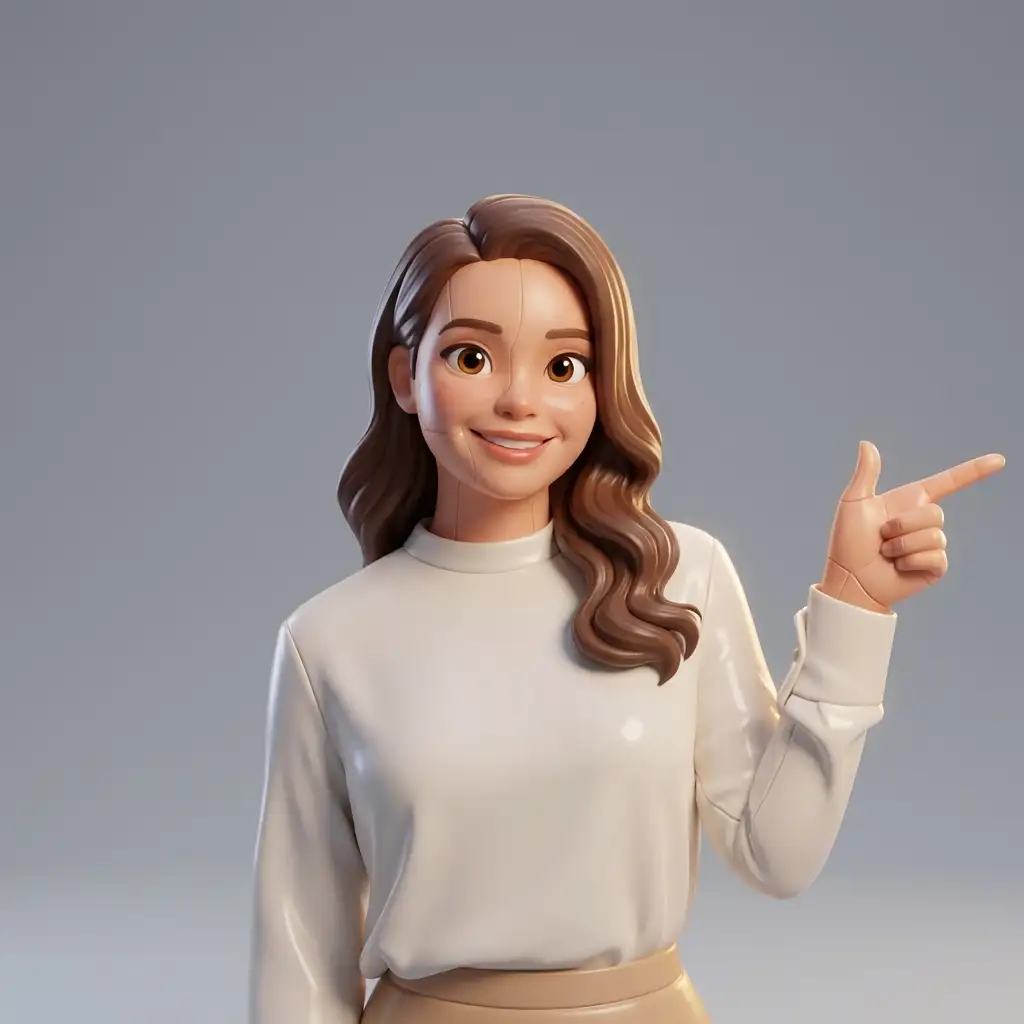
Toy Story AI Filter: How to Turn Yourself Into a Pixar Character
The Toy Story Filter Has Taken Over the Internet
If you have scrolled through TikTok, Instagram, or X in the past few weeks, you have seen it: people posting AI-generated versions of themselves that look like they stepped straight out of a Pixar movie. The trend has been called the "Toy Story filter," the "Pixar filter," and the "Disney AI challenge," but the result is always the same — a stunningly detailed 3D-animated character that somehow looks exactly like the person who uploaded the photo.
The numbers behind this trend are staggering. The hashtag #ToyStoryFilter has accumulated over 2 billion views on TikTok alone. Celebrities from Dua Lipa to LeBron James have posted their versions. News outlets from CNN to the BBC have covered the phenomenon. It has become one of the most widespread AI-powered social media trends in history, surpassing even the AI yearbook trend of 2023 and the pet portrait trend of 2024.
But what exactly is this filter, how does it work, and how can you create your own? This guide covers everything you need to know.
What Is the Toy Story AI Filter?
The Toy Story AI filter is an AI-powered image transformation tool that takes any portrait photograph and reimagines it as a 3D-animated character in the visual style of Pixar Animation Studios. The name comes from the most recognizable Pixar franchise — Toy Story — but the aesthetic actually draws from the broader Pixar visual language that spans films like The Incredibles, Up, Coco, Inside Out, and Turning Red.
The filter does not simply paste your face onto a cartoon body. The AI analyzes your facial structure, skin tone, hairstyle, clothing, accessories, and expression, then generates a completely new portrait that translates all of these details into 3D-animated form. Freckles become carefully placed texture dots. Glasses get rendered with realistic 3D reflections. Curly hair gains that characteristic Pixar bounce and volume. The result feels like a frame from an actual Pixar movie starring you.
What makes this trend different from previous AI photo trends is the quality. Early AI portrait generators in 2023 and 2024 often produced results with distorted features, inconsistent lighting, or an uncanny-valley feel. The models powering the 2026 Toy Story filter have been trained on vastly larger datasets and generate images with consistent lighting, accurate proportions, and the kind of subtle detail — like the way light scatters through translucent ears — that makes Pixar films so visually impressive.
How to Create Your Own Toy Story Character: Step by Step
Creating your Toy Story portrait takes less than 60 seconds. Here is exactly how to do it.
Step 1: Pick your best selfie. The AI works with any clear photo of your face, but certain photos produce dramatically better results. Choose a photo with good natural lighting, a relatively simple background, and your face clearly visible. Front-facing photos work best, though slight angles can add character. Avoid photos with heavy shadows, sunglasses, or your face partially covered by hair or hands.
Step 2: Open immagenAI in your browser. You do not need to download an app or create an account to try the filter for free. immagenAI works directly in your web browser on any device — iPhone, Android, iPad, laptop, or desktop. Navigate to the Toy Story Character preset.
Step 3: Upload your photo. Tap the upload area and select your selfie. The image is processed securely and is not stored on the servers after your session ends.
Step 4: Wait about 10 seconds. The AI analyzes your photo and generates your Pixar character. A progress bar shows you exactly where your image is in the processing pipeline. Most results are ready in 8–12 seconds depending on server load.
Step 5: Download and share. Your Toy Story character appears on screen. Download it to your device, then share it on your favorite social media platform. The most popular format is a side-by-side comparison — your original selfie next to your Pixar version — which makes the transformation more impressive and shareable.
Pro Tips for the Best Results
After processing hundreds of thousands of Toy Story transformations, certain patterns have emerged about what produces the best results.
Lighting is everything. Soft, even lighting produces the most flattering Pixar characters. Harsh overhead light creates shadows under the eyes that translate into dark circles on your animated self. The ideal lighting is near a window on a cloudy day or in open shade outdoors.
Show your personality through clothing. The AI captures your outfit in remarkable detail, translating fabric textures, patterns, and colors into the animated world. A distinctive jacket, a bold-colored shirt, or interesting accessories give your character more visual personality than a plain white t-shirt.
Expressions matter. A natural smile produces the best Pixar characters because Pixar films are associated with warmth and joy. That said, serious or contemplative expressions can create dramatic-looking characters too — think of the emotional scenes in Up or Inside Out.
Try multiple photos. Different photos of the same person can produce noticeably different Pixar characters. Your morning selfie with messy hair might produce a charmingly rumpled character, while your dressed-up evening photo creates a more polished version. Both are fun. Experiment and compare.
Toy Story Filter vs. Other Pixar Styles
The Toy Story filter is the most popular variant, but it is not the only Pixar-style option available. Understanding the differences helps you choose the perfect style.
The Toy Story Character filter emphasizes the toy aesthetic. Your character looks like it could be an actual toy — there are subtle hints of plastic materials, stitching on clothing, and a playful, colorful palette. This style is ideal for social media sharing and profile pictures because it is immediately recognizable and universally appealing.
The broader [Pixar Character](/presets/pixar-character) filter creates a more general 3D-animated look that draws from the full range of Pixar films. The skin texturing is more realistic, the lighting is more cinematic, and the overall feel is closer to a frame from a Pixar feature film rather than a toy. This style works better for more serious or dramatic portraits.
For couples and families, the Pixar style shines because it can handle multiple people in a single photo, creating a scene that looks like a movie poster. The Toy Story variant also handles groups well, turning everyone into a toy collection that belongs on the same shelf.
Both styles preserve your identity with impressive accuracy. Side-by-side comparisons consistently show that friends and family can immediately recognize who each character is based on, even without seeing the original photo.
Best Photos for the Toy Story Filter
Not all selfies are created equal when it comes to AI transformation. Here is a detailed guide to choosing the right source photo.
Resolution: Higher resolution photos produce more detailed characters. A photo from a modern smartphone camera (12 megapixels or more) is more than sufficient. Avoid screenshots, heavily compressed images, or photos that have been zoomed in and cropped aggressively.
Face visibility: Your entire face should be clearly visible and in focus. The AI needs to see both eyes, your nose, mouth, and jawline to create an accurate character. Partially obscured faces — by hands, hair, scarves, or masks — produce inconsistent results.
Background: Simple backgrounds produce cleaner results because the AI can focus its processing power on your face and features rather than interpreting complex scenery. A plain wall, a blurred background, or a simple outdoor setting all work well.
Accessories: Glasses, earrings, hats, and headbands are all accurately captured by the AI and add personality to your character. However, sunglasses that hide your eyes should be avoided — the AI needs to see your eyes to create an expressive character.
Group photos: If you want to convert a group photo, make sure everyone's face is clearly visible and roughly the same size in the frame. The AI handles groups of 2–4 people best. For larger groups, consider doing individual portraits and combining them.
More Styles Beyond Toy Story
Once you have created your Toy Story character, the natural next step is to explore other styles. The same selfie can be transformed into dozens of different looks, and comparing them is half the fun.
Anime styles take your portrait in a completely different direction — from 3D western animation to 2D Japanese art. The contrast between your Pixar self and your anime self is always striking and makes for great side-by-side content.
The Action Figure filter takes the toy concept further by placing your character inside realistic packaging, complete with a blister-pack window and product description. If you loved your Toy Story character, you will love seeing yourself as a collectible action figure.
Professional styles like the LinkedIn Headshot filter show the practical side of AI transformation. The same technology that creates playful Pixar characters can also produce polished, professional portraits suitable for your career.
Artistic styles like Oil Painting and Watercolor create frameable artwork from your selfie. Many users have printed their favorites as canvas prints or poster-sized art for their homes.
The beauty of the platform is that every style uses the same upload. You upload once and can try as many styles as you want. With two free daily transforms, you can explore a different style every day and build a collection of your favorites.
Why This Trend Keeps Growing
The Toy Story filter trend shows no signs of slowing down, and there are several reasons why. First, the results keep getting better as the AI models improve. Second, each new person who posts their Pixar character inspires their followers to try it — the viral loop is self-sustaining. Third, the barrier to entry is essentially zero: no app, no account, no cost.
But perhaps the deepest reason is emotional. Pixar films are associated with some of our most cherished memories — watching Toy Story as a kid, crying at the end of Inside Out, laughing at The Incredibles with family. Seeing yourself rendered in that visual language taps into nostalgia, joy, and a sense of wonder that few other AI tools can match. It is not just a filter; it is a tiny piece of Pixar magic applied to your own face.
Ready to create your Pixar character? Head to the Toy Story Character preset or explore the broader Pixar Character style for a more cinematic look.
Want to turn your Pixar portrait into content that reaches thousands? Grow your audience with targeted social engagement and watch the likes roll in. Need your character portrait in every size for every platform? Resize and optimize instantly with Klara — square for Instagram, vertical for TikTok, banner for Twitter, and more.