
AI Photo Filter Online Free: 36 Styles to Transform Your Selfie in Seconds
One Photo. 36 Styles. Zero Downloads.
Every day, over 4 million people search for "AI photo filter" on Google. The reason is simple: people want to transform their photos into something extraordinary without learning Photoshop, hiring a designer, or downloading yet another app that hogs storage. In 2026, the technology has caught up with the demand. A single selfie can now become a Pixar character, a professional LinkedIn headshot, an anime hero, a GTA loading screen, or an oil painting — all in under ten seconds, all from your browser, and all completely free to try.
This guide walks you through every AI photo filter style available on immagenAI, explains how the underlying technology works, compares AI filters to traditional photo editing, and helps you choose the perfect style for your next profile picture, social media post, or creative project.
How AI Photo Filters Work in 2026
Traditional photo filters — the kind you find on Instagram or VSCO — apply mathematical transformations to pixels. They adjust brightness, contrast, saturation, and color curves. The image stays fundamentally the same; only the color grading changes.
AI photo filters are a completely different technology. They use deep learning models called diffusion networks that have been trained on millions of images in specific artistic styles. When you upload your selfie, the AI doesn't just tweak colors. It reconstructs your portrait from scratch in the target style while preserving your identity, facial structure, expression, and distinguishing features.
Think of it this way: a traditional filter is like putting a colored lens over a photograph. An AI filter is like hiring a Pixar animator, a manga artist, or a professional photographer to create an entirely new portrait of you in their signature style. The AI has learned what makes each style distinctive — the bold outlines of comic book art, the soft lighting of studio headshots, the exaggerated proportions of 3D animation — and applies those principles to your unique face.
The latest generation of models in 2026 achieves this in roughly 8–12 seconds per image. They run on cloud GPUs, which means your phone or laptop doesn't need any special hardware. You upload, you wait a few seconds, and you download a completely new portrait.
36 AI Photo Styles You Can Try Right Now
The breadth of available styles is what makes AI photo filters so addictive. Here is a breakdown of every category and what you can expect from each.
3D Animation & Cartoon Styles
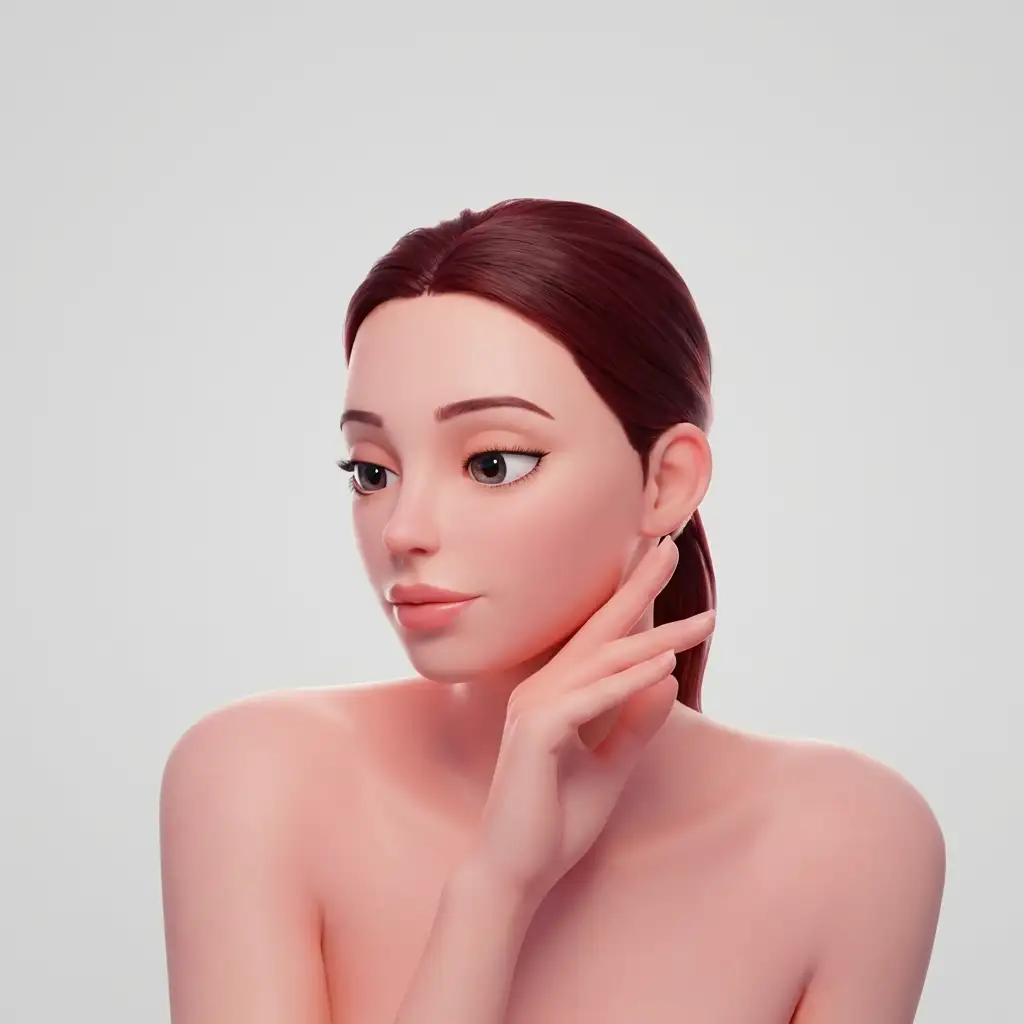
The Pixar Character filter remains the most popular style on the platform. It transforms your selfie into a Diseny Pixar-style 3D animated character with big expressive eyes, smooth skin texturing, and that signature warmth that makes Pixar films so beloved. The Toy Story variant adds the toy aesthetic — plastic-like materials, stitching details, and a playful childhood vibe. The Cartoon Portrait style takes a different approach with a 2D illustrated look closer to modern animated series.
Anime & Manga Styles
Anime filters are an entire universe of their own. The Anime Me filter creates a general anime portrait that works across styles. But for fans of specific series, dedicated filters capture the unique visual language of each show: Dragon Ball's bold lines and power auras, Naruto's distinctive eye designs and headband accessories, One Piece's exaggerated proportions, Jujutsu Kaisen's dark atmospheric tones, and Attack on Titan's gritty military aesthetic. Each anime filter has been trained on the specific art direction of its respective series.
Professional & Corporate Styles
Not every AI filter is about fun. The LinkedIn Headshot filter is one of the most practical tools on the platform. It takes a casual selfie and transforms it into a polished professional portrait with studio-quality lighting, a clean neutral background, and the subtle retouching that makes headshots look expensive. The Business Portrait variant adds a corporate office background, while the Executive style adds more formal lighting and composition.
Viral & Pop Culture Styles
The GTA Loading Screen filter captures the iconic Rockstar Games illustration style with bold outlines and saturated urban colors. The Action Figure filter places you inside realistic toy packaging, complete with a blister-pack window and product description. The Comic Book Hero style turns you into a superhero with dramatic lighting and halftone dot patterns. The Trading Card filter creates a collectible card with stats and a holographic border. The Mugshot style adds a height chart and police department watermarks for a humorous twist.
Artistic & Classic Styles
For a more refined aesthetic, the Oil Painting filter applies thick brushstroke textures and Renaissance-era color palettes. The Watercolor style creates a softer, more ethereal portrait. The Pencil Sketch filter produces a detailed graphite drawing. The Pop Art style channels Andy Warhol with bold colors and screen-print repetition. The Stained Glass filter reimagines your portrait as a cathedral window.
Fantasy & Sci-Fi Styles
The Fantasy Portrait filter adds medieval armor, mystical lighting, and ethereal backgrounds. The Cyberpunk style immerses you in neon-lit cityscapes with futuristic accessories. The Steampunk variant adds brass goggles, clockwork mechanisms, and Victorian-era industrial details. The Space Explorer filter places you in an astronaut suit against a cosmic backdrop.
Seasonal & Event Styles
Holiday-themed filters rotate throughout the year — Halloween horror portraits in October, festive sweater portraits in December, Valentine's romantic styles in February. These limited-time styles create urgency and are among the most shared filters on social media during their respective seasons.
AI Filters vs. Traditional Photo Editing: The Price Comparison
Let's talk about what these transformations would cost if you hired a human artist or photographer to create them manually.
A professional headshot photography session in a major city runs $150–$400 for a single session with 3–5 retouched images. A custom Pixar-style 3D character portrait from a freelance artist on Fiverr or Upwork costs $50–$200 depending on detail level and turnaround time. A hand-drawn anime portrait runs $30–$100. A custom oil painting from a photograph starts at $200 and can exceed $1,000 for larger canvases.
With immagenAI, you get 2 free transformations per day at standard resolution. That means you can try the Pixar filter today, the LinkedIn headshot tomorrow, and the anime filter the day after — all without spending a single dollar. If you want higher resolution output or more daily transforms, credit packs start at just a few dollars. Compare that to the hundreds or thousands you would spend on manual alternatives, and the value proposition is overwhelming.
The quality gap between AI and human-created art has also narrowed dramatically. In blind tests conducted in early 2026, participants could not reliably distinguish AI-generated Pixar-style portraits from those created by professional 3D artists. For professional headshots, the gap is even smaller — AI headshots are now used on thousands of LinkedIn profiles by recruiters, executives, and job seekers who cannot tell them apart from studio photographs.
Step-by-Step: How to Transform Your Selfie
Getting started takes less than a minute. Here is the exact process.
Step 1: Choose your selfie. Pick a clear, well-lit photo where your face is the main subject. Natural light works best — stand near a window or step outside on an overcast day. Avoid heavy shadows, sunglasses, or photos where your face is partially obscured.
Step 2: Go to immagenAI. Open your browser on any device — phone, tablet, or computer. No app download is required. Navigate to the tool page and you will see the style selection grid.
Step 3: Pick a style. Browse the 36+ available styles and select one. Each style has example outputs so you can preview what your result will look like. Popular starting points include the Pixar Character for fun, the LinkedIn Headshot for professional use, and Anime Me for creative expression.
Step 4: Upload your photo. Tap the upload button and select your selfie from your camera roll or files. The image is processed securely on cloud servers and is not stored permanently.
Step 5: Wait 10 seconds. The AI processes your photo through the selected style model. A progress indicator shows you exactly where your image is in the pipeline. Most transformations complete in 8–12 seconds.
Step 6: Download and share. Your transformed portrait appears on screen. Download it directly to your device, share it to social media, or save it to try another style with the same photo.
Which Style Should You Choose?
The best style depends on your purpose. Here is a quick decision guide.
For LinkedIn, resumes, and professional networking: Start with the LinkedIn Headshot filter. It is the most practical transformation and provides immediate professional value. A polished headshot can increase your profile views by up to 21x according to LinkedIn's own research.
For social media profile pictures: The Pixar Character and Anime Me filters generate the most engagement. They are visually striking, instantly recognizable as AI art, and spark conversations in comments and DMs.
For going viral: The Action Figure and GTA Loading Screen filters have the highest share rates. People love tagging friends and creating collections, which drives organic reach.
For gifts and personal projects: The Oil Painting, Watercolor, and Fantasy Portrait styles create frameable artwork. Many users print these as canvas prints or greeting cards.
For matching with friends or couples: Any style works, but the Pixar Character and Anime filters are especially popular for group transformations. Create a set where everyone in your friend group or family gets the same style treatment.
The Bottom Line
AI photo filters in 2026 are not gimmicks. They are a genuine creative tool that delivers professional-quality results for free. Whether you need a LinkedIn headshot that lands your next job interview, a Pixar portrait that makes your friends smile, or an anime avatar that expresses your personality, the technology is here, it is accessible, and it works.
The only question is which of the 36 styles you will try first. Head to the full style gallery and start experimenting. With two free transforms per day, you can explore a different style every day for over two weeks — no credit card required. Check our pricing page when you are ready to unlock HD output and unlimited daily transforms.
After you have your perfect AI portrait, crop and resize it for every social platform in one click — Instagram square, LinkedIn banner, Twitter header, and more. And if you are building a personal brand around your new visual identity, create a matching logo and brand kit with AI to keep everything cohesive.