
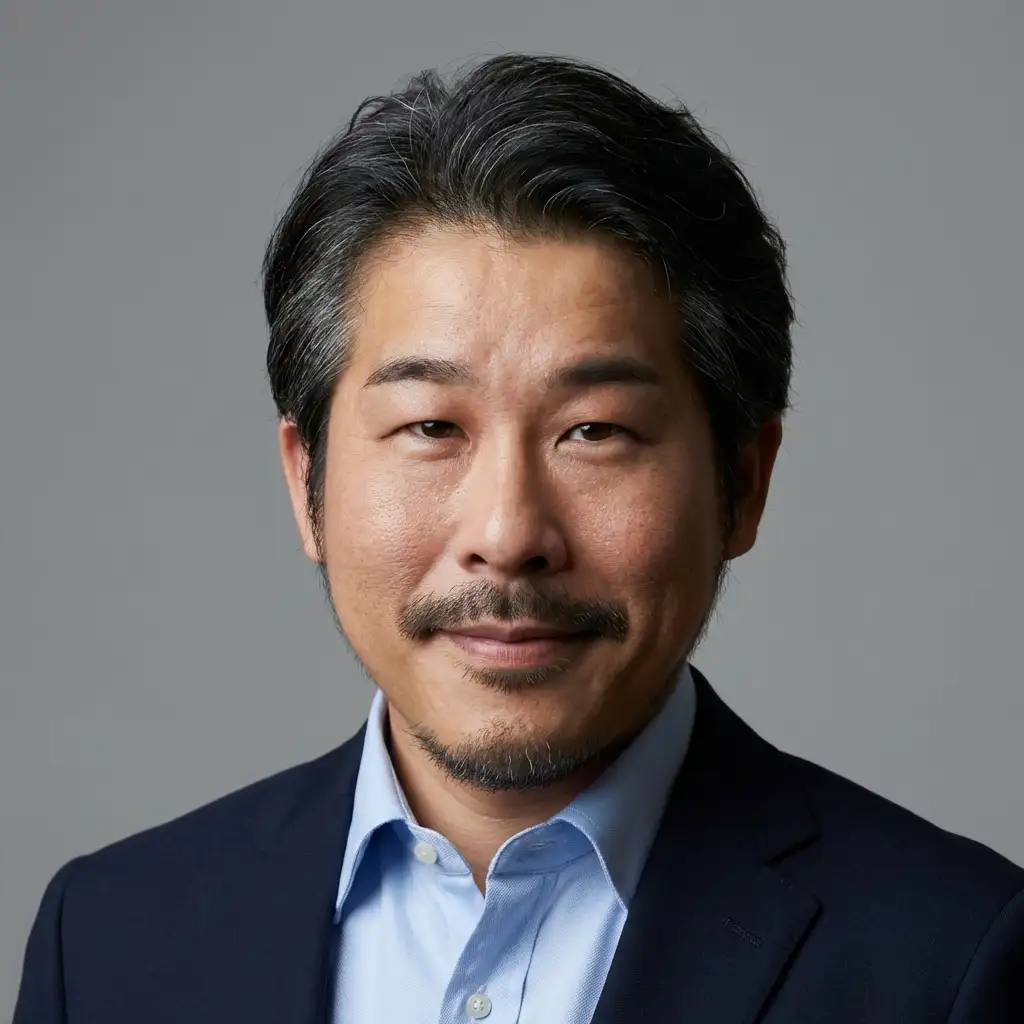
AI Headshot Generator Free: Professional Photos Without a Photographer
Your LinkedIn Photo Is Costing You Opportunities
LinkedIn's own data is unambiguous: profiles with professional headshots receive 21x more views and 9x more connection requests than profiles without one. Recruiters spend an average of 7.4 seconds on a LinkedIn profile before deciding whether to reach out, and the profile photo is the first — and often only — thing they look at.
Yet despite this, the majority of LinkedIn users still have no photo at all, a low-quality selfie, or a cropped group photo as their profile picture. The reason is not ignorance. Most professionals know their photo matters. The barrier is cost and inconvenience: a professional photography session in a major city costs $150–$400, requires scheduling, commuting, and waiting for edited files, and the entire process takes days or weeks from booking to final delivery.
AI headshot generators eliminate every one of these barriers. Upload a single selfie from your phone, wait 10 seconds, and download a polished, studio-quality headshot that is indistinguishable from one taken by a professional photographer. Free. Instant. No app required.
This guide compares the leading AI headshot tools, explains how to get the best results, and shows you how to go from a casual phone photo to a career-boosting professional portrait in under a minute.
AI Headshot Generators Compared: 2026 Edition
The market for AI headshot generators has matured significantly. Here is how the major players stack up across the factors that matter most.
immagenAI — Free Tier, Instant Results
immagenAI offers a LinkedIn Headshot preset that transforms a single selfie into a professional portrait in approximately 10 seconds. The free tier provides 2 transforms per day at standard resolution, which is sufficient for most users who just need one great headshot. The AI adjusts lighting, cleans up the background, applies subtle skin smoothing, and optimizes the overall composition for professional use. No account creation is required — you can upload and download directly from your browser.
Price: Free (2/day). HD credits available on the pricing page. Speed: ~10 seconds. Input required: 1 photo. Best for: Anyone who needs a quick, high-quality headshot without friction.
HeadshotPro — Bulk Generation
HeadshotPro requires you to upload 10–25 selfies and wait up to 2 hours while the AI trains a custom model on your face. It then generates 40+ headshots in various styles, backgrounds, and outfits. The results are impressive when the training goes well, but the multi-photo requirement and wait time create friction. Some users report inconsistent results if their training photos vary too much in lighting or angle.
Price: $29 for the basic package. Speed: 1–2 hours. Input required: 10–25 photos. Best for: Professionals who need many variations and have time to wait.
Aragon AI — Mid-Range Option
Aragon occupies the middle ground: it requires 5–10 photos and generates results in about 30 minutes. The output quality is good, particularly for corporate environments. The AI handles diverse skin tones and face shapes well. The main drawback is the price point — at $35 for a basic package, it is significantly more expensive than free alternatives that produce comparable results.
Price: $35 for the basic package. Speed: ~30 minutes. Input required: 5–10 photos. Best for: Users willing to pay for a reliable mid-range option.
Remini — Mobile-First Approach
Remini works primarily as a mobile app with a focus on photo enhancement and restoration. Its headshot feature enhances existing photos rather than generating new ones from scratch. The results look like polished versions of your original photo rather than studio portraits. The app uses a subscription model at $9.99/month, which adds up quickly for what is essentially a one-time need for most users.
Price: $9.99/month subscription. Speed: ~30 seconds. Input required: 1 photo. Best for: Users who want to enhance rather than transform their existing photos.
The Verdict
For the vast majority of professionals, the free instant approach — upload one photo, get one great headshot — is the most practical choice. If you need dozens of variations for a corporate team page or marketing materials, a bulk generator like HeadshotPro justifies the cost and wait time. But for the single high-quality headshot that will sit on your LinkedIn profile for the next year, free tools like immagenAI deliver results that are genuinely indistinguishable from paid alternatives.
How the AI Creates Your Professional Headshot
Understanding the technology helps you provide better input photos, which leads to better results.
When you upload a selfie, the AI performs several operations in sequence. First, it detects your face and maps key facial landmarks — eyes, nose, mouth, jawline, ears. This map tells the AI exactly where your features are and how they relate to each other spatially.
Next, the AI evaluates the lighting in your original photo and mentally models where a professional studio light setup would cast highlights and shadows. It then regenerates the lighting on your face to match studio conditions: a key light slightly above and to one side, a fill light to reduce harsh shadows, and a rim light to separate you from the background. This lighting transformation is the single biggest factor in making a casual selfie look professional.
The background is simultaneously analyzed and replaced. Whether your original photo was taken in a cluttered bedroom, a busy street, or a dim restaurant, the AI substitutes a clean, neutral background — typically a soft gradient in gray, blue, or white — that matches the professional headshot aesthetic.
Finally, the AI applies subtle retouching. This is not the aggressive smoothing that makes photos look fake. Instead, it evens out minor skin texture inconsistencies, reduces under-eye shadows, and adds a slight sharpening to the eyes to make them pop. The result looks like you on your best day, professionally lit and photographed — not like a different person.
Best Practices for Your Source Photo
The AI can work miracles, but starting with a decent source photo produces dramatically better results. Follow these guidelines.
Lighting: Natural light from a window is ideal. Face the window so the light falls evenly across your face. Avoid direct sunlight, which creates harsh shadows, and avoid backlit situations where the background is brighter than your face.
Angle and position: Face the camera directly or at a very slight angle (15 degrees or less). Look directly into the camera lens, not at a point above or below it. Position yourself so your head and the top of your shoulders are in the frame — this gives the AI enough context to create a natural composition.
Expression: A slight, natural smile is universally the best expression for professional headshots. It conveys warmth and approachability without looking forced. Think "meeting a colleague you like" rather than "say cheese." If smiling feels unnatural, a calm, confident neutral expression also works well.
Clothing: Wear what you would wear to an important professional meeting. For most industries, this means a collared shirt, blouse, or blazer. Avoid busy patterns, large logos, and bright neon colors. Solid colors in navy, gray, black, white, and earth tones photograph best and look most professional.
Grooming: Style your hair the way you want it to appear in your final headshot. The AI preserves your hairstyle accurately, so messy hair in the source photo means messy hair in the result. The same applies to facial hair, makeup, and accessories.
What to avoid: Sunglasses, heavy Instagram filters on the source photo, extreme close-ups (the AI needs some shoulder context), very low resolution images (screenshots of screenshots), and photos where your face is partially obscured by hands, hair, or objects.
From Free to HD: The Upgrade Path
The free tier on immagenAI is genuinely useful — two headshots per day at standard resolution is enough for most people to find their perfect professional portrait. But there are scenarios where upgrading makes sense.
Standard resolution (free) produces images at 1024x1024 pixels. This is perfectly adequate for LinkedIn profile photos, email signatures, Slack avatars, and social media. On these platforms, images are displayed at relatively small sizes and the resolution is more than sufficient for a clean, sharp appearance.
HD resolution (credits required) produces images at 2048x2048 pixels or higher. This matters if you plan to use your headshot on a personal website hero section, print it for conference badges at large sizes, include it in high-resolution marketing materials, or display it on a screen where it might be viewed at larger dimensions.
The visual quality difference between standard and HD is subtle when viewed on a phone screen, but becomes noticeable at larger display sizes. If you are primarily using your headshot for LinkedIn and email, free is genuinely all you need. If you want maximum flexibility for current and future uses, an HD credit is a small investment that pays for itself.
Visit the pricing page to see current credit pack options. There are no subscriptions required — buy credits when you need them and they never expire.
Beyond the Headshot: Your Complete Professional Image
A great headshot is the foundation of your professional visual identity, but it is not the whole picture. Here are additional steps to maximize the impact of your new portrait.
Use it everywhere. Consistency builds recognition. Update your headshot across LinkedIn, your email signature, Slack, Zoom, Microsoft Teams, your personal website, your company bio page, Twitter/X, and any other platform where you have a professional presence. Using the same photo everywhere makes you instantly recognizable.
Complement it with a [Business Portrait](/presets/business-portrait). While the LinkedIn headshot is optimized for a profile photo, a business portrait provides a wider framing suitable for speaker pages, conference materials, and about sections on websites. The headshot page has more details on the available professional styles.
Optimize for every platform. Each platform has different image dimensions and aspect ratios. A square crop works for LinkedIn, but Twitter prefers a wider format and your website might need something entirely different. After generating your headshot, resize and optimize it for every platform with Klara so you never have to manually crop or risk awkward framing.
Build a complete brand identity. Your headshot establishes the visual tone for your personal brand. Extend that tone to your logo, business card, and social media templates with an AI-powered brand identity kit. When your headshot, logo, and content templates share the same visual language, you project a level of professionalism that sets you apart.
The Professional Headshot Is No Longer Optional
Five years ago, you could get away with no LinkedIn photo or a casual snapshot. In 2026, the professional world has moved on. Recruiters, clients, and collaborators expect a polished headshot, and they — consciously or not — judge you by its quality. The good news is that the barrier to entry has been completely eliminated. You do not need a photographer. You do not need a studio. You do not need a budget.
You need one selfie, ten seconds, and a browser. Upload your photo to the LinkedIn Headshot preset, download your professional portrait, and update your profile today. Your next career opportunity may be one profile view away.